The Most Popular Item Processing Development Tool on the Market
What is Silver Bullet IP Simulator?
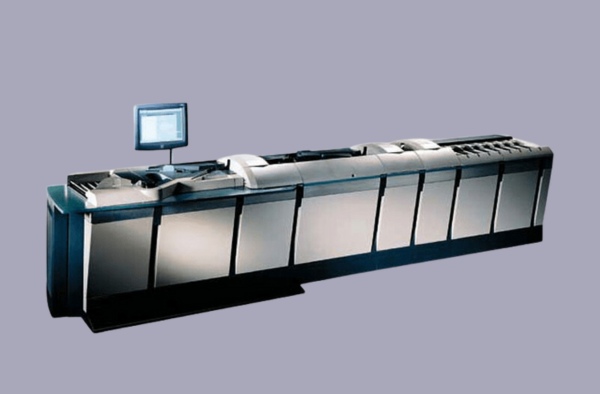
IP Simulator is a software application that simulates an item processing scanner. This valuable developer’s tool eliminates the need for access to remote hardware when testing your item processing applications.
IP Simulator gives you the ability to run item processing applications on any standard computer, providing you with the freedom to develop and test your item processing applications without an item processing scanner. IP Simulator allows you to train personnel and test system changes without impacting your production systems. You are able to reproduce problem scenarios, test new system configurations, and perform volume testing without wasting paper.
IP Simulator is convenient, and scanner simulation is transparent. This means that you will not need to make any changes to your applications when you use IP Simulator.
Why use IP Simulator?
Using the IP Simulator enables your financial institution to run seamlessly and more efficiently. This benefits your development process and your bottom line.
Maximize your investment by doubling programmer productivity.
Improve product quality by easily reproducing former bug-revealing scenarios during your QA process.
Expedite your sales process by demonstrating applications in your customer’s boardroom.
Reduce costs by running millions of items automatically overnight during QA testing.
Reduce installation time by configuring and testing new installations without the use of a scanner.
Reduce customer impact by certifying new installations by running in parallel with existing software.
Maximize your marketing effort by demonstrating several scanner applications simultaneously at a trade show.
Increase revenues by offering a training version of your software.
Simulates the selection of devices such as scanner type, OCR reader present, or microfilmer present.
Uses scripts to define the code lines and images for each item. Scripts can be edited using any text editor, or the integrated script editor that is provided.
Scripts can wrap around, allowing continuous automated testing of large item volumes.
Simulates hardware events such as hopper empty, item in hand drop, and paper jam.
Provides simulation of journal and lister printers in separate, scrollable windows.
Free tools, application downloads, and help are available online.
“I’ve had the pleasure of working with Jamille on a few orders over the last 2 years. Every time I call, or need assistance Jamille handles my request in a timely and professional manner. Just last week I needed help expediting an order…SBT received my contract late Friday, and sure enough my software was delivered Monday morning…Once again Jamille has provided exceptional service!”
Craig HarperCIBC
“I recently had a problem with a banking client of ours and their merchant using remote deposit. After contacting your support team, I started working with Erik Wesemann on getting the problem resolved. He went as far as contacting Panini in Italy in trying to help me with this unique problem…I just wanted to let someone there know that you have a great support team and I appreciate all the help Erik provided. Thank you so much!
Martha E. DeLamarFiserv
“I had an excellent support experience with Erik. Within 24 hours of emailing SB’s support, Erik and I had solved the immediate issue. He was knowledgeable, courteous, responsive, and a great communicator. In addition to helping me with the initial issue, he went on to help me troubleshoot some minor issues, even when they were unlikely to be caused by your product. Overall, my support experience with him was a 10 out of 10, and I wanted to be sure he got the kudos he deserves.”
Keith PaolinoRosano & Co
“It took me only a day to bind the ranger driver to our capture solution and another day for testing. It was a very pleasant surprise how easy and well documented the SDK is. We installed the Canon CR-190i remotely yesterday at the customer site and had no issues whatsoever. The setup was very straight forward and we were able to start processing immediately.
Thank you very much. We are now considering scheduling time to test on other compatible machines Ranger supports and that we know our customers use.”
Victor TorresSymco Group Panama
“The technology all went very well… The test guys had lots of fun banging on the new code with the existing Panini scanners, and then absolutely fell in love when they plugged in an Epson and had it work right away without trouble. You guys rock!
All in all, using Ranger to solve the immediate 64 bit driver problem ended up delighting the business guys as they saw the capabilities of the scanners…and they’ve been kicking themselves that it took us years to make this change… Now they see all sorts of opportunities open to us, and consider it a major product victory!”